
Capture reliable data with powerful data quality tools
Data collection takes significant time, effort, and resources—and the goal isn’t just to gather information, but to capture reliable, accurate data you can trust.
When teams are in the field, timelines are tight, and budgets are fixed, consistently monitoring surveyor performance and checking incoming data for issues becomes difficult.
Our powerful data quality features safeguard accuracy at every step, without adding more hours to your day or more people to your team.

Ensuring quality at every step of your data collection process
There’s no shortage of data in today’s world. The challenge isn’t collecting more—it’s ensuring that what you collect is trustworthy, accurate, and ready for use.
No matter how complex your project or how distributed your team, SurveyCTO’s suite of data quality tools enable you to take proactive measures to protect the integrity and reliability of your data.
From robust form logic to maintaining quality during fieldwork to real-time monitoring, you can prevent errors early, flag issues quickly, and implement corrections without disrupting data collection. With these safeguards in place, you can be confident in your data even when timelines are tight and bandwidth is stretched.
Design for accuracy
Build smarter forms that reduce mistakes before they happen.
Our robust form logic helps ensure that only valid responses are submitted, respondents aren't shown questions that do not apply to them, and more.

Monitor incoming data in real time
Catch issues early with our Data Explorer tool.
Easily view responses for individual fields, spot outliers, and quickly address data problems before they enter your system.

Use with confidence
From anti-rushing guardrails to automated quality checks to facilitating back checks, our data quality features help you trust the data before it’s analyzed or shared.
Explore our data quality tools in depth
Intelligent audits and automatic survey oversight
Get the tools you need to manage data quality as well as monitor incoming data so that you can trust the results you get, the first time around.
- Use text audits to invisibly record surveyors’ flow through your surveys, capturing how much time they spend on each question
- Use audio audits to listen in, invisibly recording audio clips at random or specific points in your surveys
- Use speed limits to trigger invisible audio recordings if SurveyCTO detects an enumerator recording answers suspiciously fast
- Capture survey or sensor metadata (with appropriate consent) including timestamps, version number, device movement, and device information

Automated quality checks
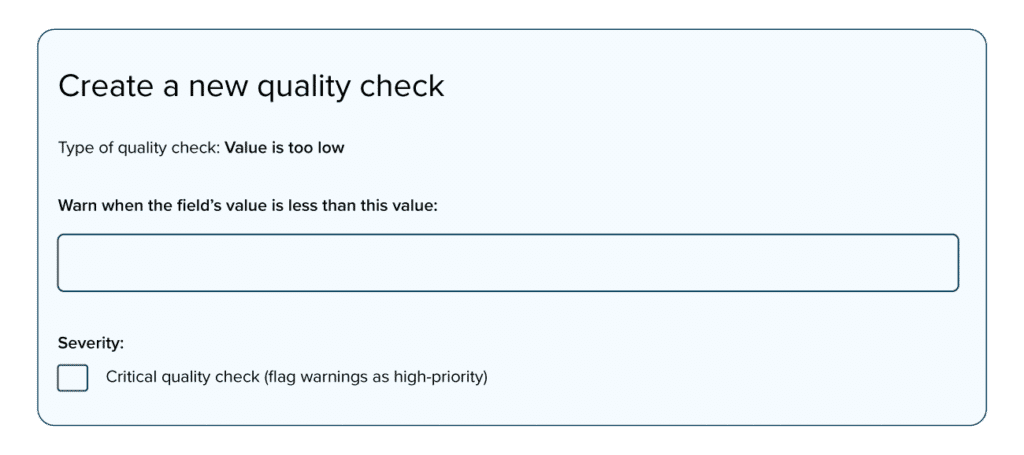
With automated quality checks, you can proactively shield your database from bad data by:
- Configuring checks to automatically analyze incoming data for outliers, missing values, values that are too high, low, or frequent, and much more
- Receive automated daily reports via email that flag critical errors, suspicious surveys, or data collectors whose responses differ significantly from the rest of the team
Automated quality checks can be paired with our review and correction workflow so that if an error is flagged, you can immediately correct the data.
Review and correction workflow
Want another line of defense against poor-quality data? Our review and correction workflow feature allows you to see, correct, and approve submissions before they are collected.
You can:
- Specify whether every new response should be reviewed, or only a certain subset
- Comment on submissions for other stakeholders to see
- Approve or reject submissions, with only approved submissions making it to your database


Endlessly customizable form logic
Our robust form logic makes it easy to not only create surveys that prevent inaccurate entries from being submitted, but also streamline respondent experience. You can:
- Create skip logic, no matter how complex, to ensure that respondents are only shown relevant questions
- Use constraints to prevent the entry of impossible or contradictory answers
- Display answer choices based on responses to previous questions to ensure only relevant answers are selected
- Upload external data and use it to set default values so that data collectors don’t need to re-enter data already collected prior
Easy back-check management
Minimize the hassle when sending supervisors for survey back-checks. With our back-check functionality, you can:
- Upload previously-collected data to easily compare back-check answers to original answers
- Use two-way data streaming to automatically select surveys for back-checks and send data from the selected surveys to back-checkers’ devices. No need to print out back-check assignments or download, export, clean, and re-upload data


Flexible data export and review
View data easily so that you know what’s happening:
- Use our Data Explorer tool to see incoming data in real-time and get an immediate view into data collection activities
- Automatically send incoming data to external platforms like Google Sheets or PowerBI or merge exported data with Excel spreadsheets to easily review surveys and visualize key information
- Export GPS-tagged data to Google Earth to map geographic data and confirm where surveys were done
- Mail merge incoming data with Microsoft Word templates so that staff can more easily review it
Frequently Asked Questions
Can I create complex skip logic and constraints without coding in SurveyCTO?
Absolutely. SurveyCTO is designed so that anyone—regardless of familiarity with programming surveys—can create powerful, complex skip logic (also referred to as relevance) and constraints. Native relevance and constraint features make it easy to insert logic that improves the survey experience for respondents as well as guards against bad data from ever being submitted.
For even more hands-on guidance on creating skip logic, calculation expressions, and conditional branching, our AI form tool features will generate survey logic for you based on natural language input.